Deployment
How is the App Distributed?
mOneKey is distributed in 3 ways: Firebase, CDN and Comp Portal
Via Firebase
Firebase is a 3rd party service (owned by Google) that allows us to distribute enterprise builds that we do not want to put on the public App Store
Building and Deploying
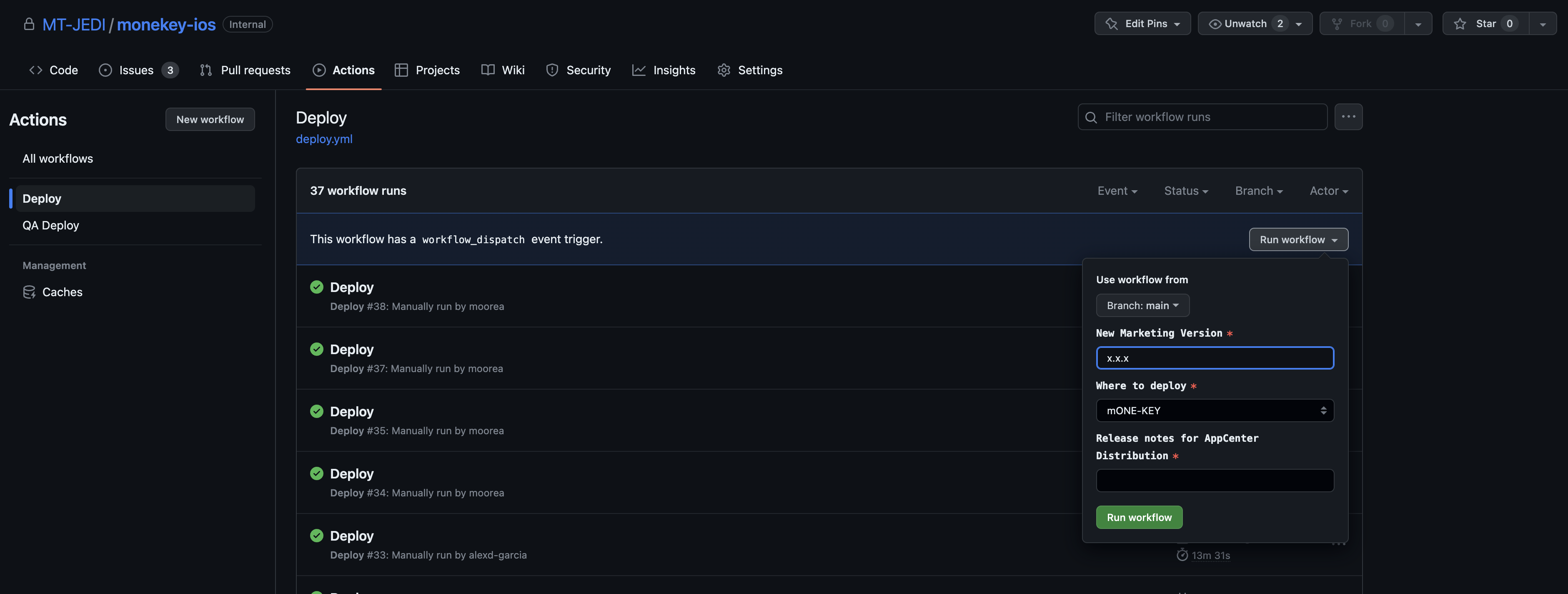
The entire build procedure is handled by the GitHub Action called "Deploy" in the MT-JEDI/monekey-ios repo.
Run the Action
- Navigate to the Action
- Click "Run Workflow"
- Specify the new version
- Select
mOne-Keyfor "Where to Deploy"- Note:
mONEKEY-Staging-2should not be used (relic of the past)
- Note:
- Provide release notes
- Note: these will be visible to users downloading the app on the Firebase Website
- Click "Run Workflow"
After 5 min the build will appear on Firebase
Distribute the build
- Navigate to the list of releases on the Firebase portal
- Select your new build (should be the 1st in the list)
- Click "Releases"
- Click "Down Chevron"
- Select all the groups (All users or groups)
Via [CDN]
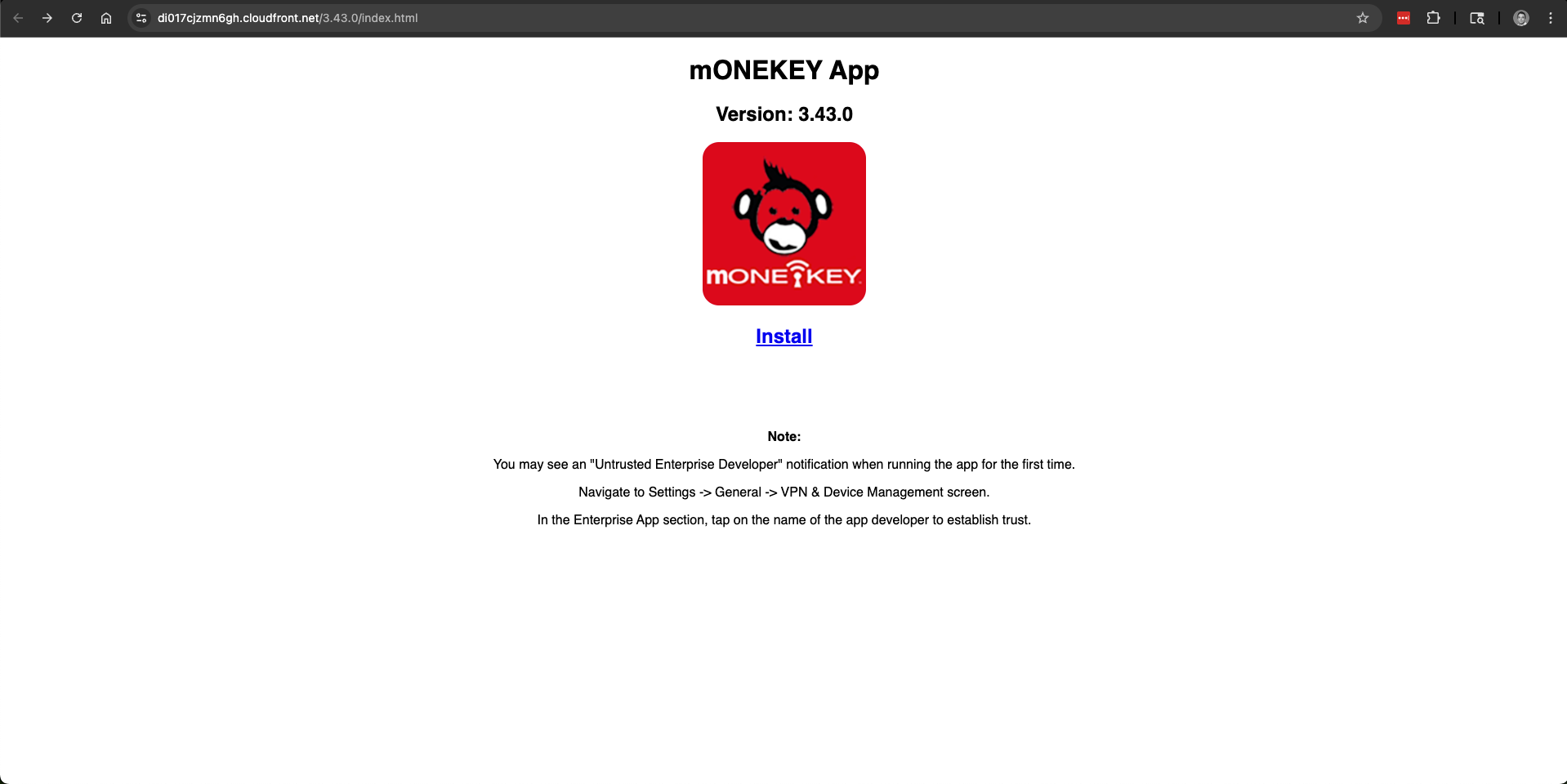
The app is hosted via our CDN and call be accessed by navigating to the following URL https://di017cjzmn6gh.cloudfront.net/{version}/index.html
Version
Noticed that the version in the URL needs to be updated to one of the released versions
Via Company Portal
Comp Portal is managed by our internal IT teams
To get a new build into Comp Portal:
- First, follow the steps above to deploy to Firebase
- Navigate to the list of releases on the Firebase portal
- Select your new build (should be the 1st in the list)
- Click "Download" to download the .ipa file
- Place the .ipa file somewhere that an IT analyst can get to it (somewhere in OneDrive whatever)
- Open an IT ticket asking them to deploy this new version to Firebase and include details about where to find the .ipa
Example:
To: itservicedesk@milwaukeetool.com
Subject: mOneKey vX.X.X
Body:

Please deploy this new version of mOneKey

<Link to .ipa file>