Accessing Test Data in Our Environment
This guide will walk you through the process of accessing test data within our environment. If you're new to the services mentioned, don't worry, we'll provide step-by-step instructions to make it easy for you.
Prerequisites
Before you begin, make sure you have access to the following:
- An active account on https://myapplications.microsoft.com/
- Permission to use the AWS - JEDI CDP app
Accessing the Console
- Log in to https://myapplications.microsoft.com/.
- In the application list, locate the "AWS - JEDI CDP" app.

- Click on the app to access the AWS console.
Accessing Test Data
Option 1: AWS Athena
-
In the AWS console, use the search bar at the top.
-
Type "Athena" and select it from the search results.
-
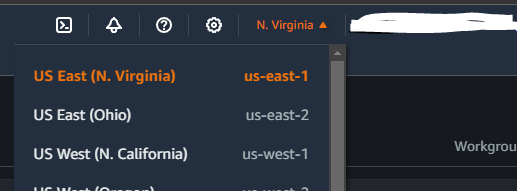
Verify you are in the appropriate region (us-east-1) via the dropdown in the top right corner of the screen.
-
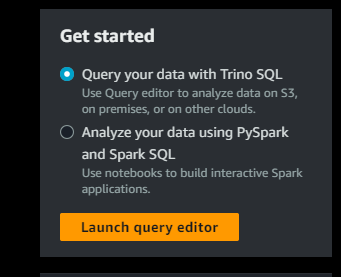
Click the "Launch query editor" button to open AWS Athena the first time you visit.
- Select the "eu360-it-sql" work group.

- You will now be able to query the various tables in the "rudderstack-moments-test" database. Please note that the quality of the data may vary.
Option 2: S3 Raw Data
-
To access raw data in S3, use the search bar and navigate to the S3 page.
-
Go into the bucket named "milwaukeetool-cdp.moments-raw-test.us-east-1.202868758441".
-
Browse data by source in the "test-destination/rudder-datalake/" folders.
-
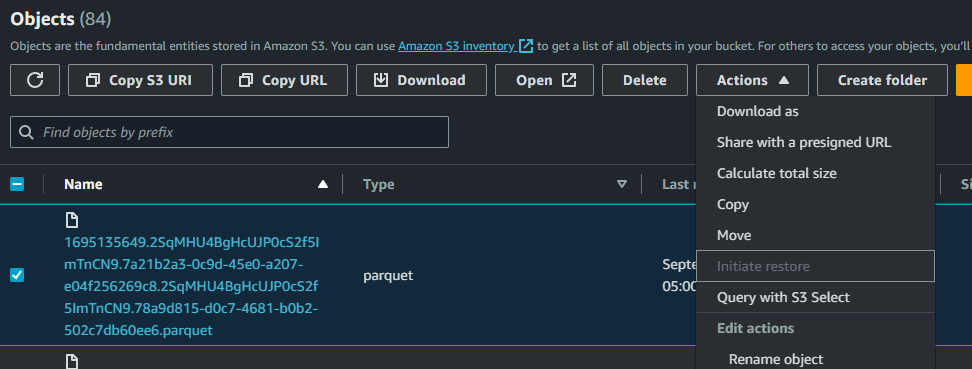
When you find a file you want to view, click the checkbox next to it.
-
Choose "Query with S3 Select" from the Actions menu.
-
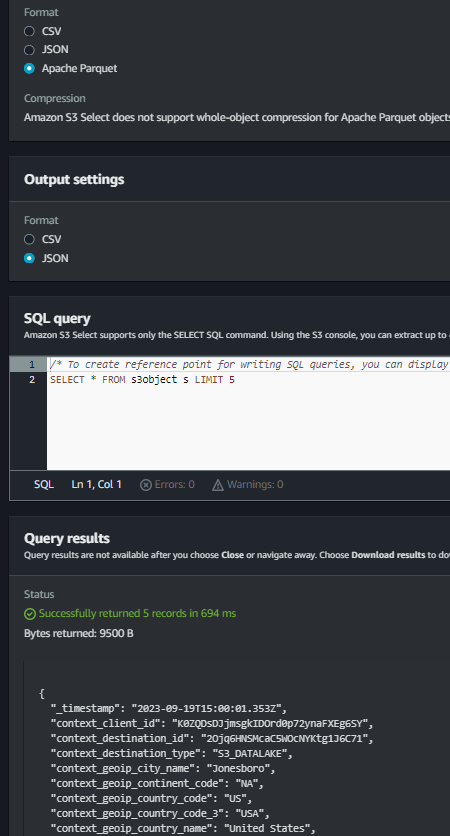
For the output format, select "JSON."
-
Run the query to see the records that came in at that time.
That's it! You can now access and query test data in our environment using either AWS Athena or by exploring the raw data in S3. If you have any questions or encounter issues, feel free to reach out for assistance.
Data Purging
Please be aware that data in the test environment is subject to regular purging. Here are some key details:
- Data older than 30 days is automatically removed from the environment.
- The availability and quality of test data may vary from day to day, depending on when the data was uploaded.
It's important to keep this data purging policy in mind when working with the test data. If you require access to historical data or have any questions regarding data retention, please reach out to our team for assistance.