Assign
Tags can be assigned to data reads during or after the data read is performed. The JEDI team defines which tags are available, and users can select from these predefined tags when categorizing their data reads.
Tag definitions are managed centrally by the JEDI team. Users can only assign values to existing pre-defined tags.
Assigning Tags During a Data Read
You can attach tags to a data read at the time you perform the read. This is useful for categorizing data by project, customer, or any other criteria before uploading.
Only users with the Engineering role can add tags during a data read.
Steps
-
Connect to a tool in the Engineering Console
-
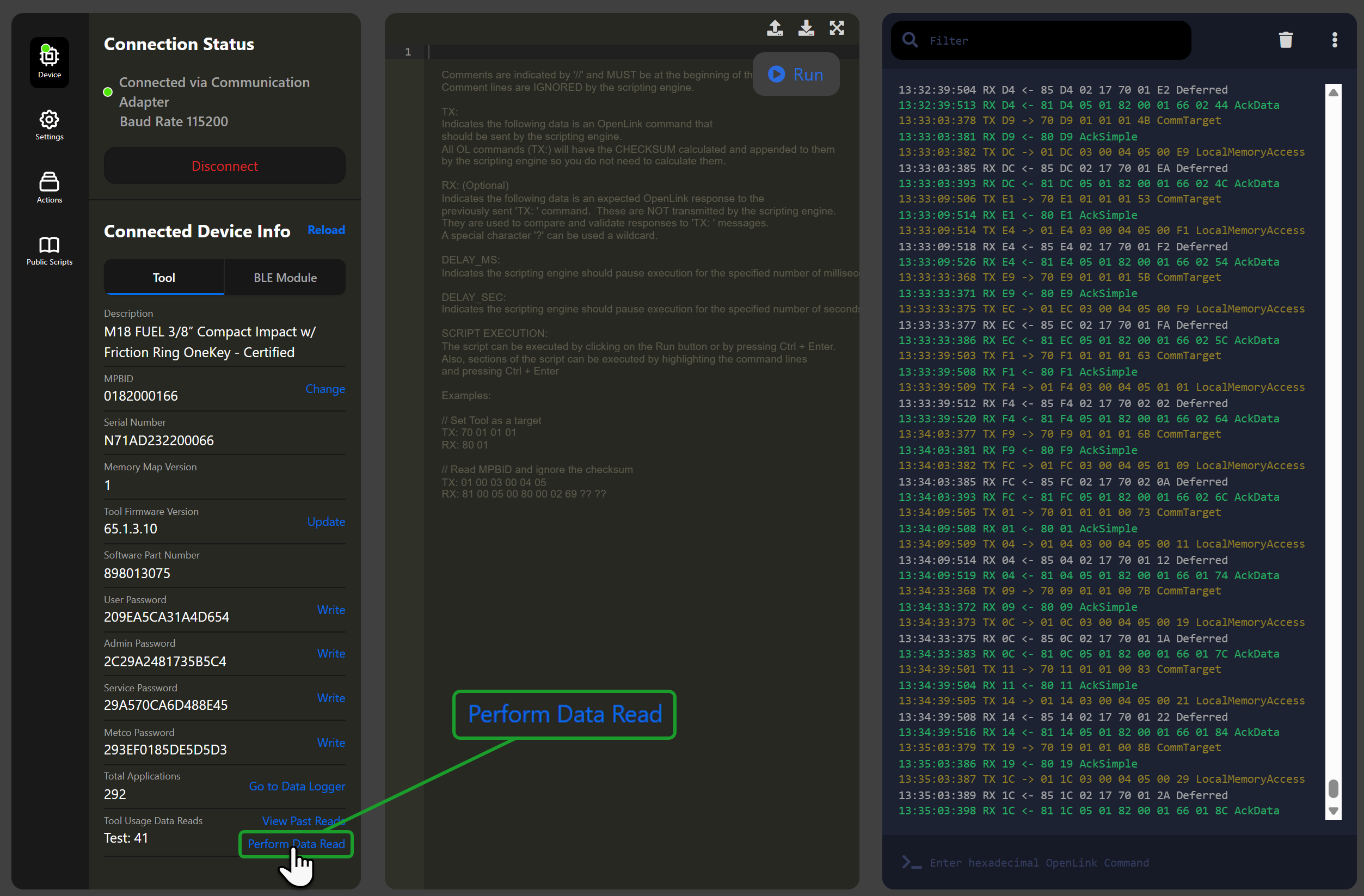
In the Tool Usage Data Reads row, click Perform Data Read
-
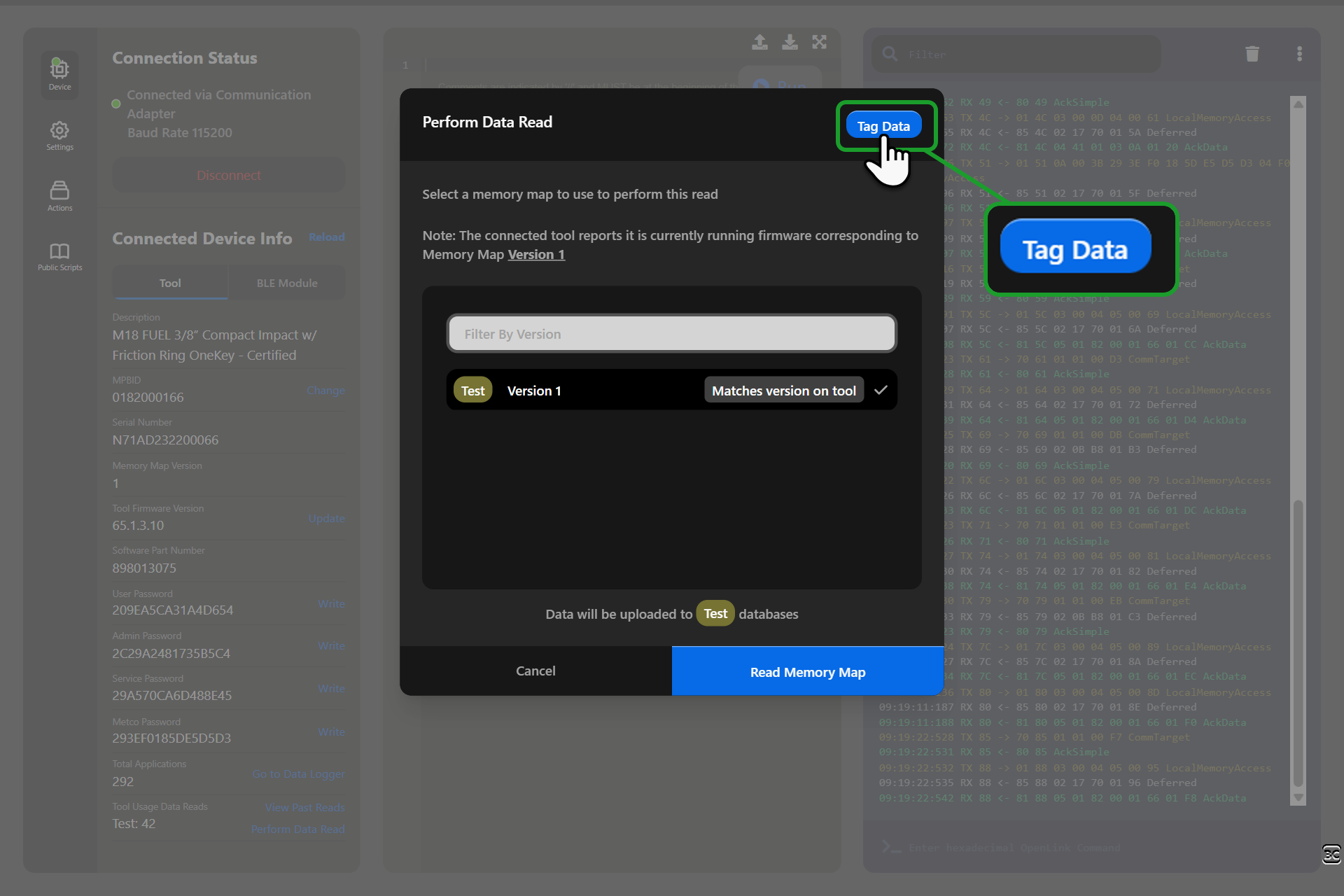
The Perform Data Read dialog opens showing available memory maps.
-
Click the Tag Data button in the dialog header
-
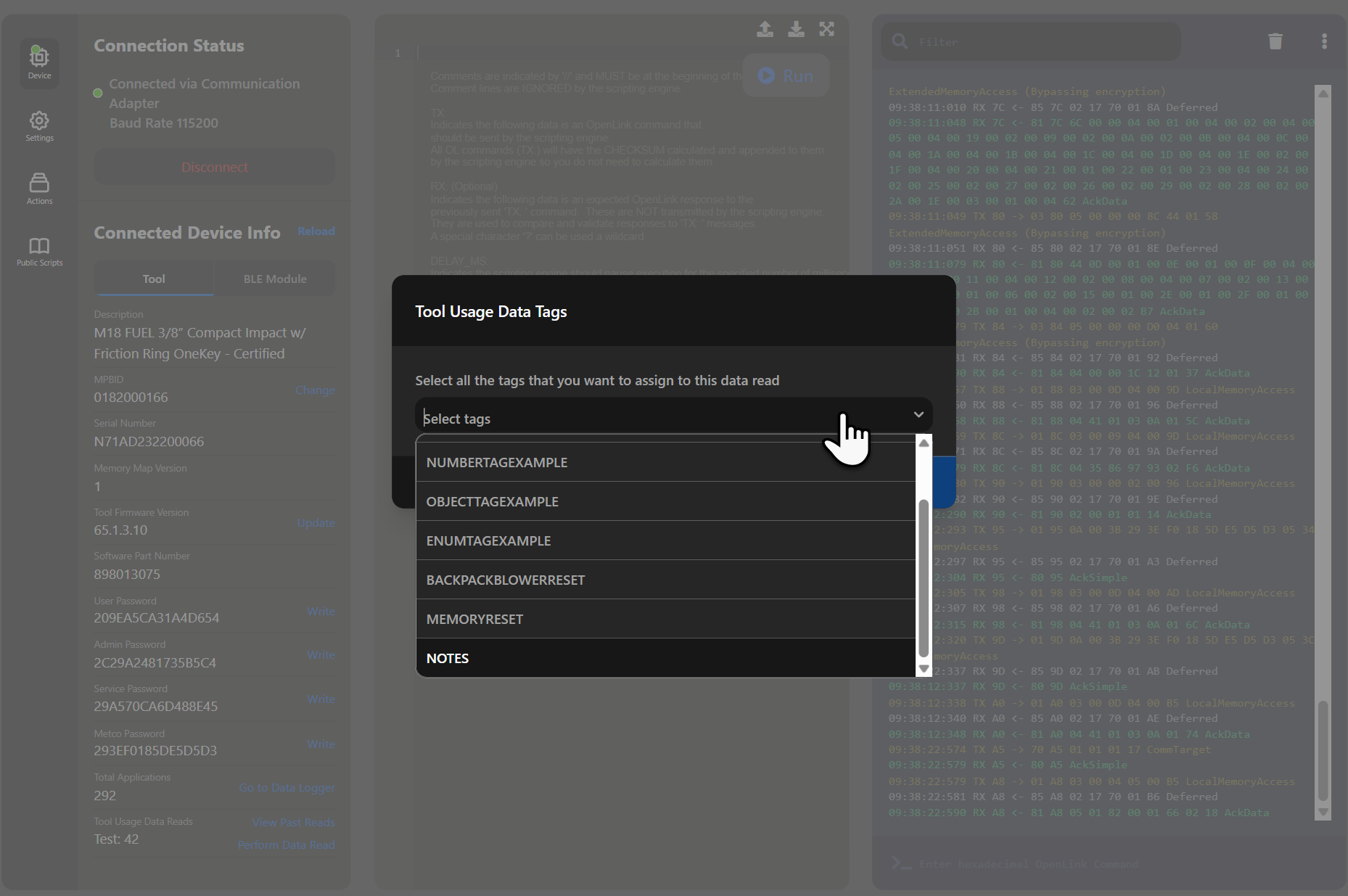
The Tool Usage Data Tags dialog opens:
-
Select one or more tags from the dropdown
-
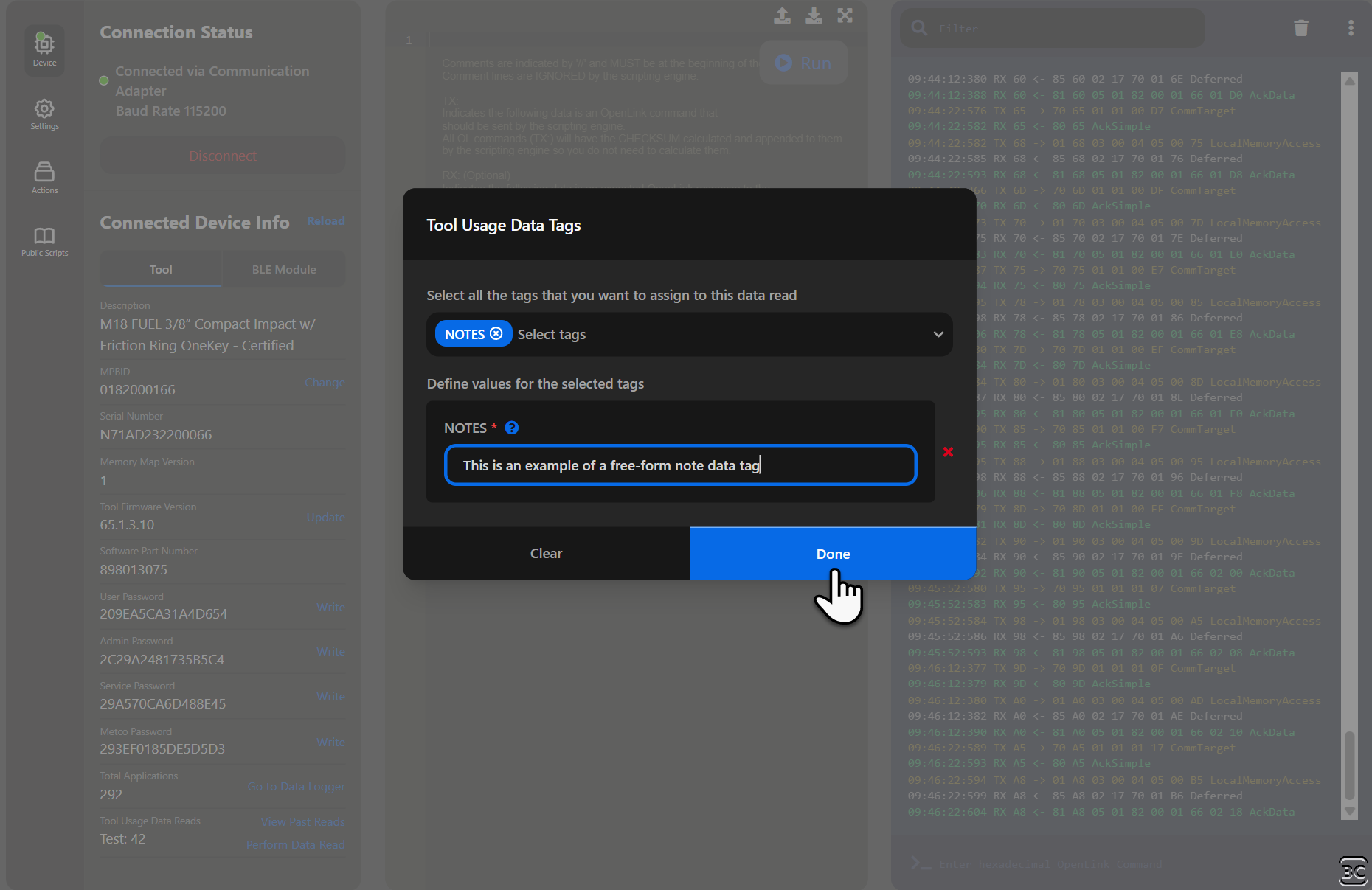
Enter values for each selected tag
-
Click Done when finished (or Clear to remove all selections)
-
-
Back in the Perform Data Read dialog, select a memory map version
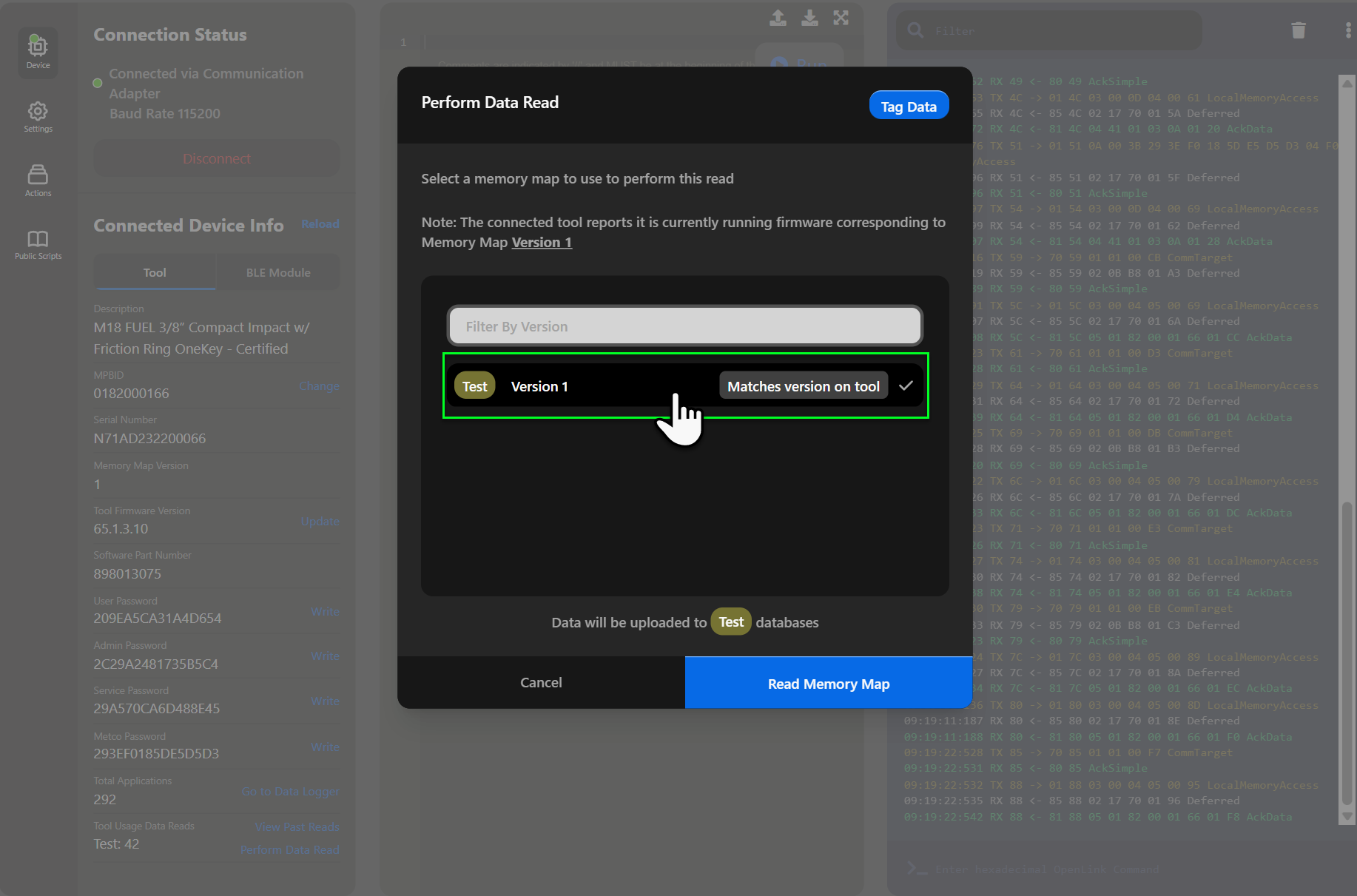
-
Click Read Memory Map to execute the read with your tags attached
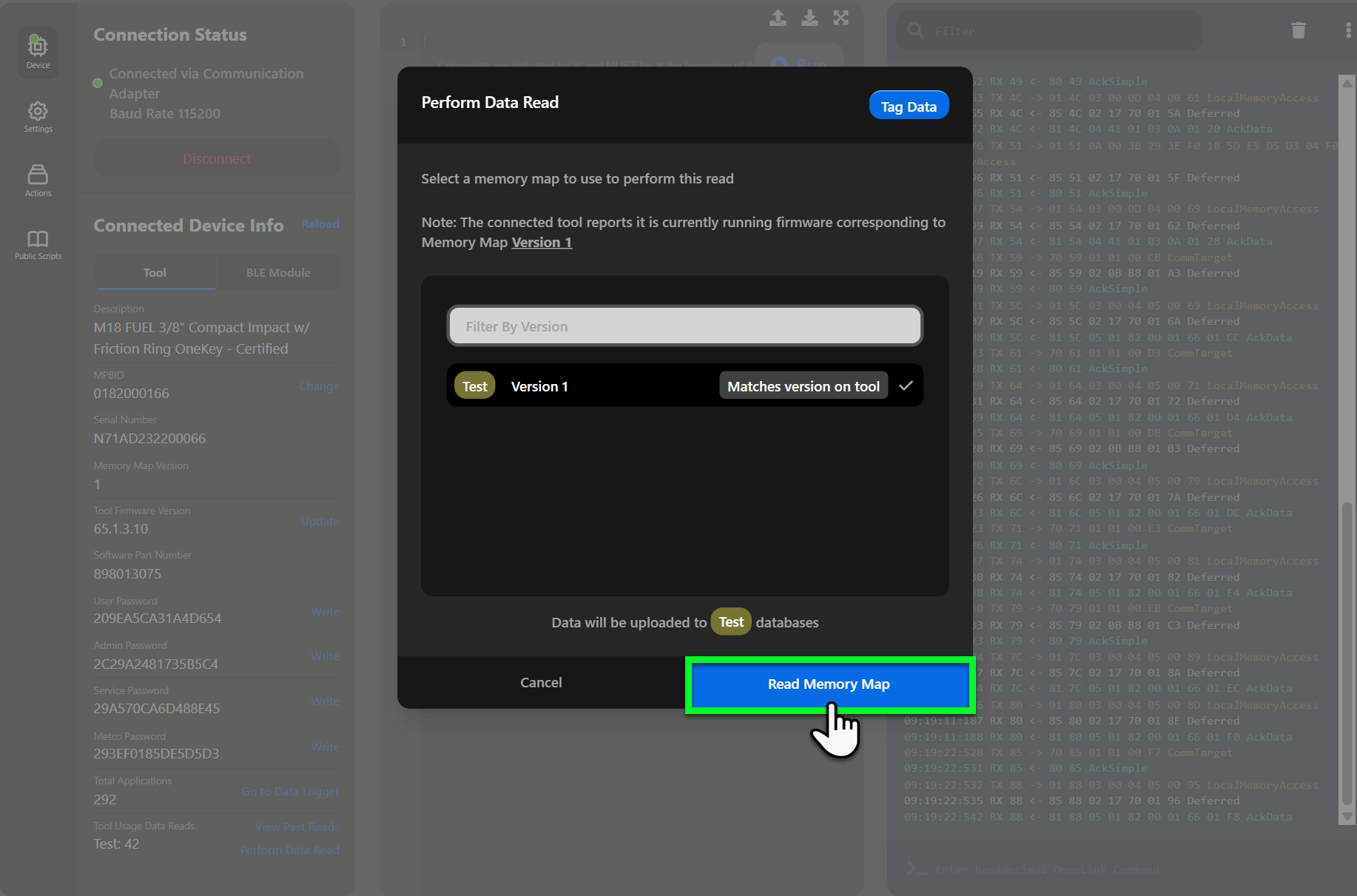
The tags you assigned will be included when the data is uploaded and will appear in the data read details.
Need a New Tag?
If you need a tag that doesn't exist, see Create for instructions on how to request a new tag definition.