Edit
How to edit a new product definition
Product definitions are currently managed in QuickLink Web.
Generally speaking, reaching out to Platform IoT is the default/preferred way.
- Refer to Responsibility & Process
When editing a new product, start by signing into the QuickLink at https://quicklink.milwaukeetool.com/products
Proceed by conducting a search if necessary, then select the product of interest by clicking on the row.
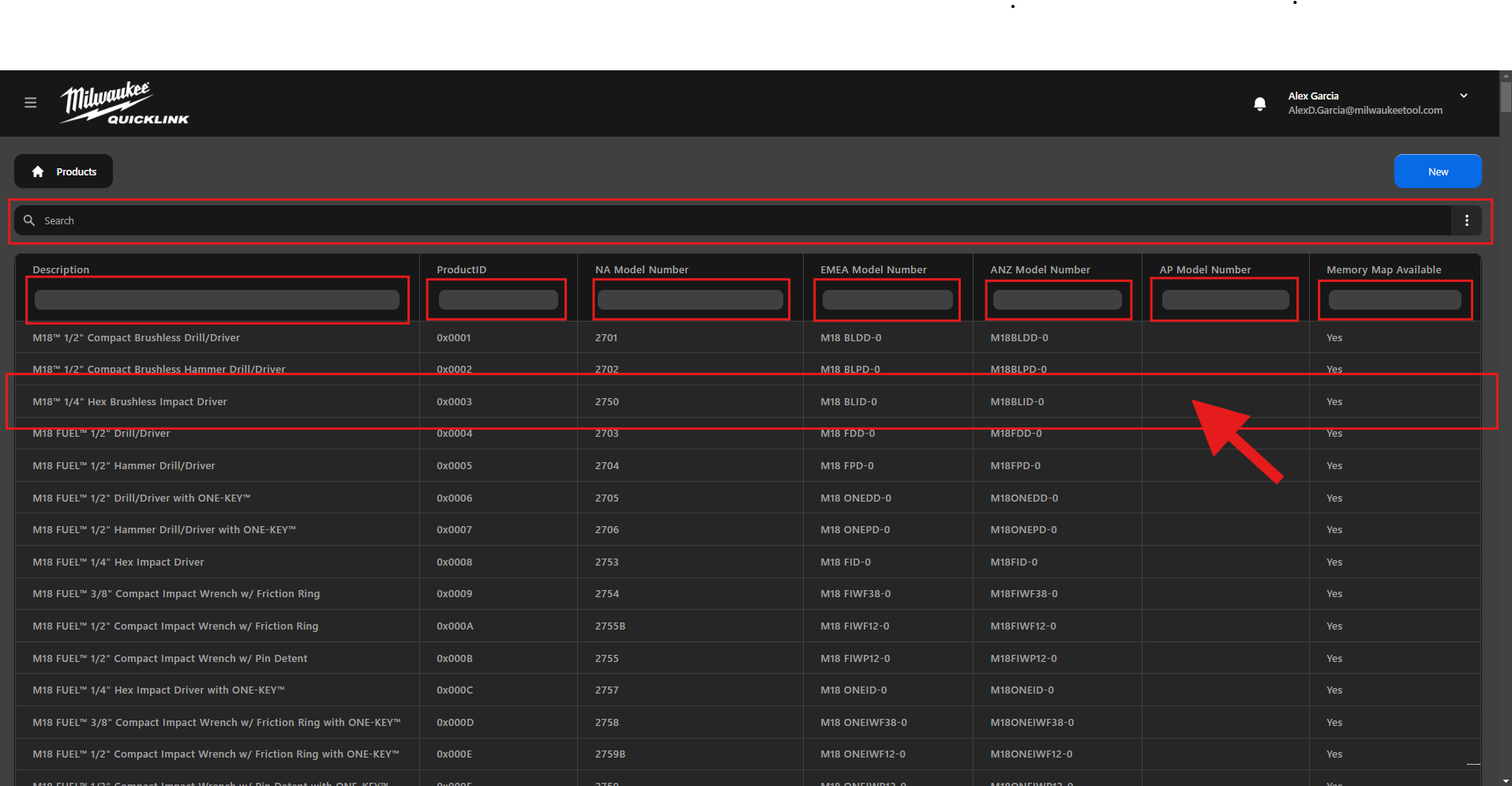
This step will navigate you to the dedicated page for the selected product.
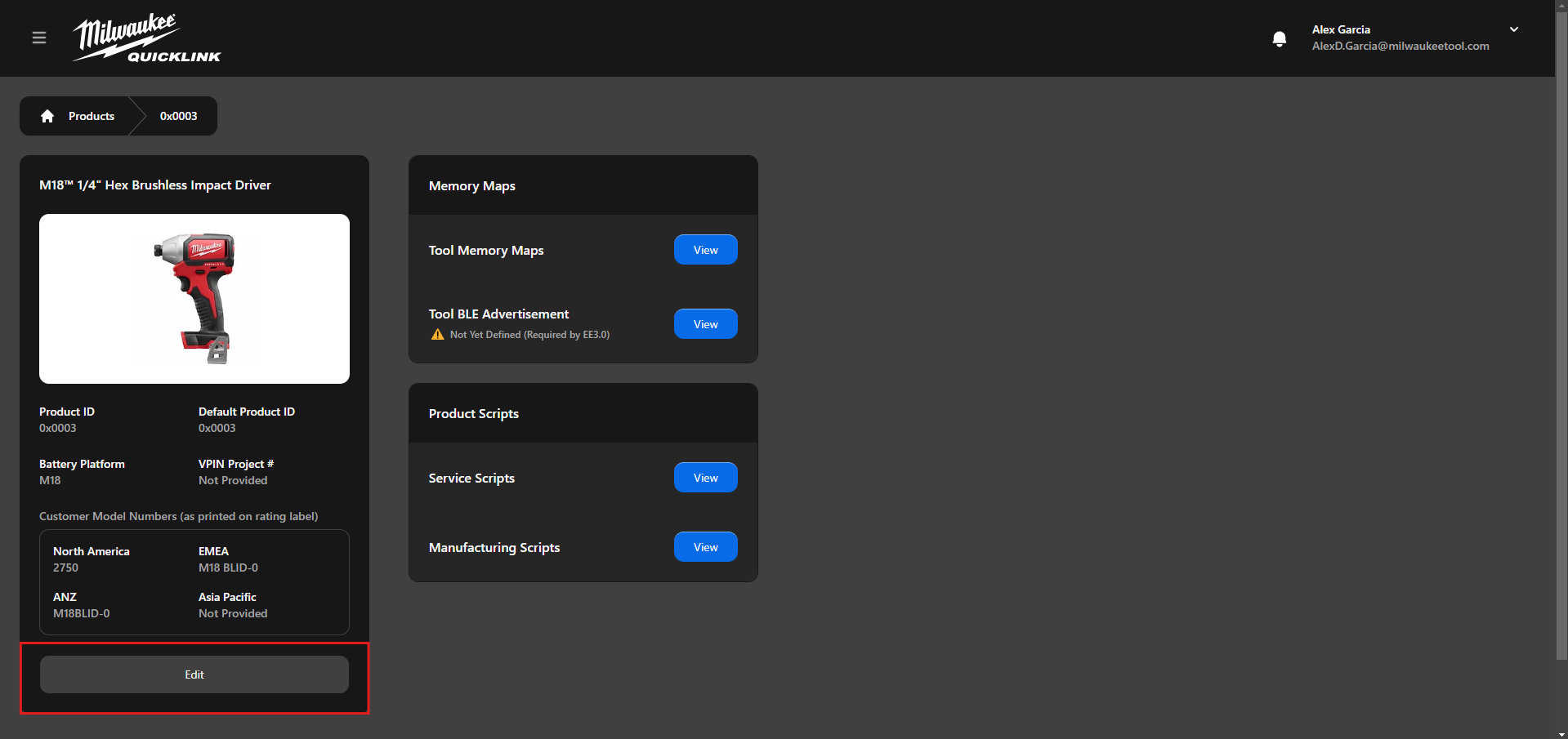
Proceed by selecting the "Edit" button. This action will prompt a dialog box, enabling you to modify the properties of the product.
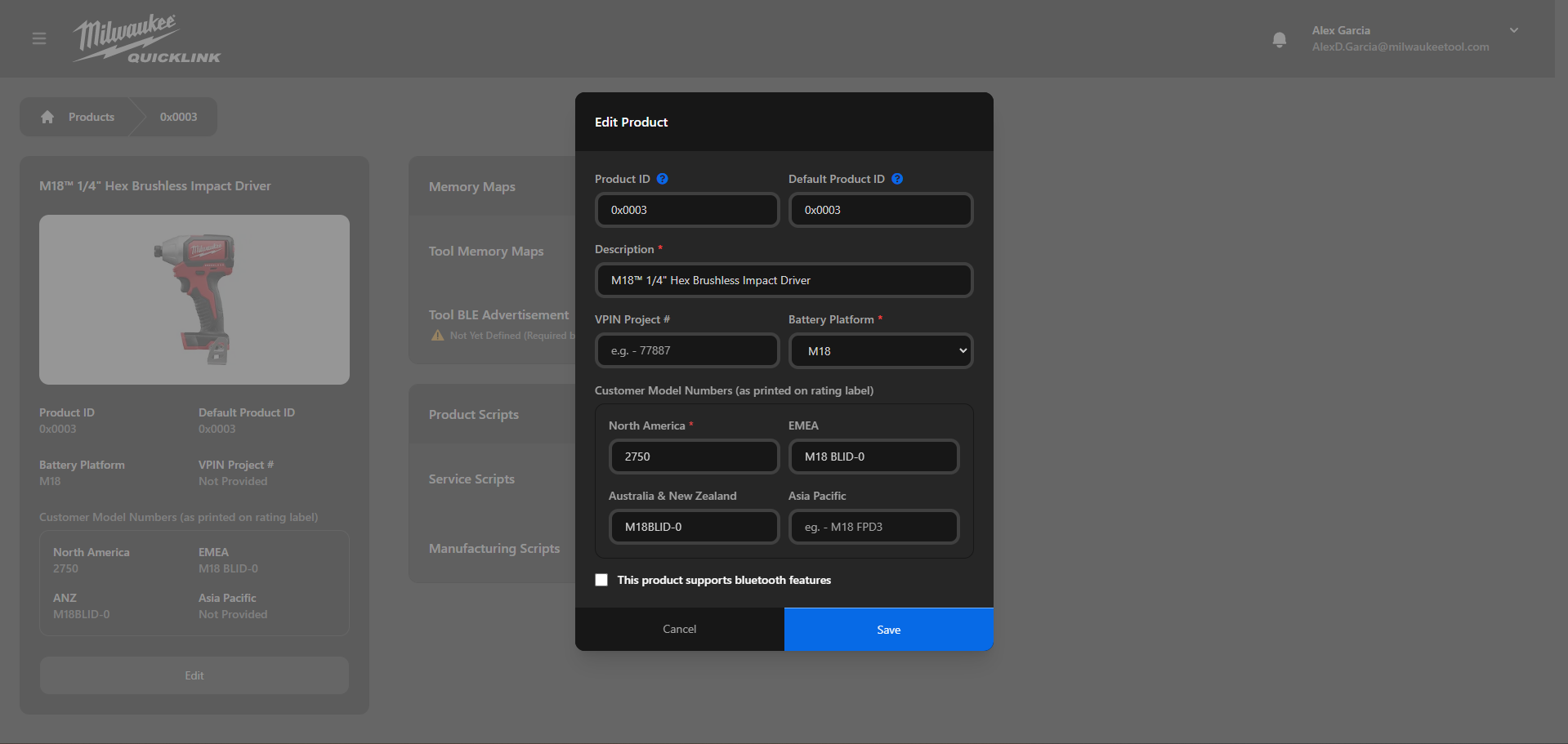
Finally click the "Save" button